Don't Sign What You Don't Understand.Understand the fine print before it becomes your problem.
FinePrint Shield combines AI-assisted document analysis, OCR scanning, electronic signatures, document organization, privacy and security tools, secure sharing, and a private document workspace to help you better understand and manage important documents before making decisions.
Start free. Unlock one contract for $4.99. Go Premium when you need more.
1 complimentary Document • 1 AI Analysis • 1 Signature
One-time complimentary access. No monthly reset.

Documents are stored locally on your device by default. AI-powered analysis is processed securely online, and uploaded documents are not permanently retained after analysis. Secure share links expire automatically after about 24 hours. Premium is purchased in the Android app; the Web App is unlocked with your Link Code.
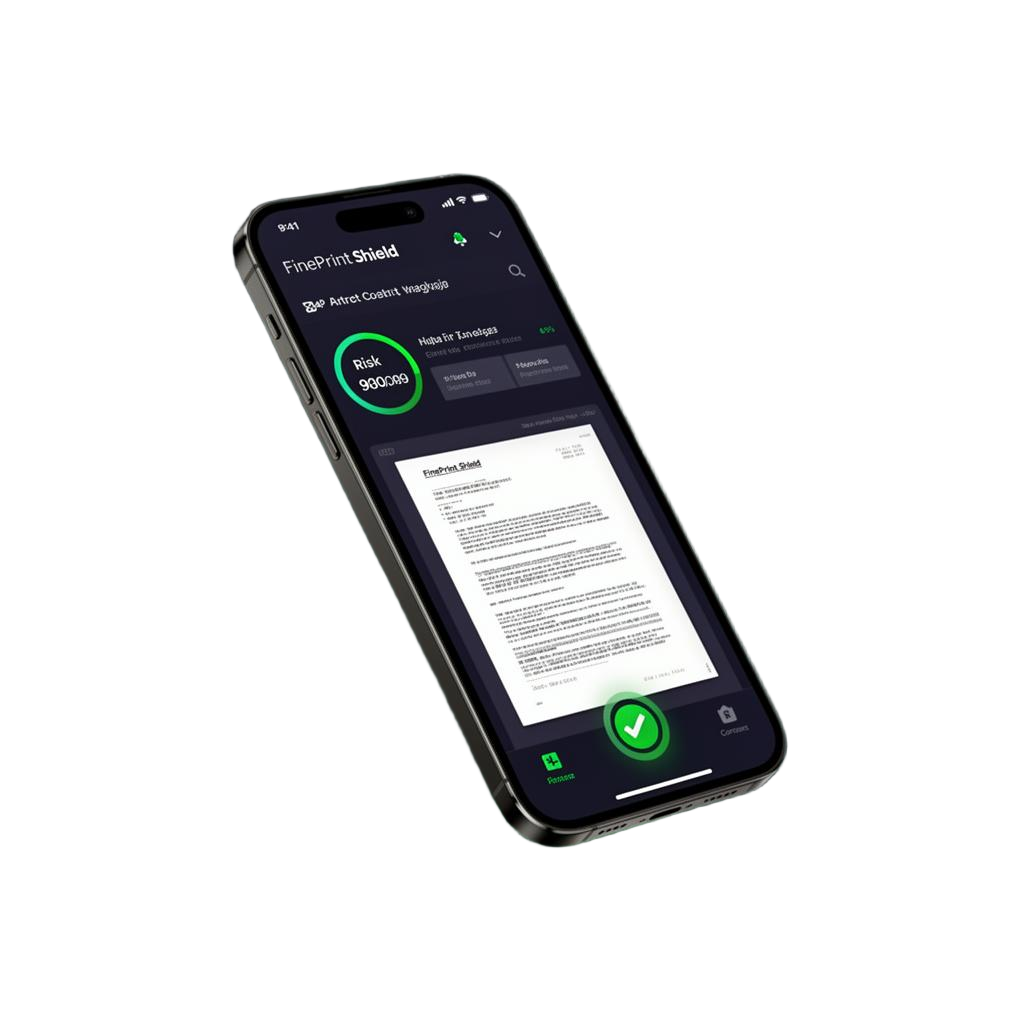
One Overlooked Clause Can Matter.
Leases, contracts, purchase agreements, service agreements, employment documents, financing paperwork, subscriptions, business agreements, and policies can all contain terms that are easy to overlook.
FinePrint Shield helps you slow down, examine the document, and better understand what you're agreeing to before you sign or commit.
Before You Sign It, Understand It.
From this…
- Long, dense agreements
- Complicated terminology
- Important clauses buried throughout
- Limited time to review
- Multiple apps needed to scan, analyze, sign, organize, and share
To this…
- Plain-language explanations
- Important clauses surfaced
- Potential areas of concern organized
- OCR text extraction
- Electronic signatures
- Private document organization
- Secure sharing
Scan it. Analyze it. Understand it.
One App. Your Document Workspace.
FinePrint Shield is much more than an AI contract analyzer — it's a private workspace for scanning, analyzing, signing, organizing, protecting, and sharing important documents.
AI Analysis + Document Assistant
Plain-English explanations, hidden risk detection, fee and penalty discovery, obligation summaries, and risk scoring. Then ask follow-up questions about your document and get answers grounded only in its contents.
Smart Scanning & OCR
Capture documents with your camera, extract text, and create searchable PDFs in seconds. Export tools included.
Secure Vault
Encrypted local storage with document organization, recycle bin, and secure exports. PIN & biometric protection included.
Annotation & Signing
Electronic signatures, text annotations, markup tools, signature and document tools, and one-tap PDF export.
Privacy & Security
Documents are stored locally on your device by default. AI analysis is processed securely online, and uploads aren't permanently retained. Share links expire after 24 hours.
Secure Sharing
Share with confidence using time-limited links that expire automatically after 24 hours. Additional privacy controls included.
And that's only part of what FinePrint Shield can do.
Professional Document Editing
Turn photos into PDFs, apply professional document stamps, and create reusable custom stamps — all inside FinePrint Shield.
Professional Document Stamps
Apply official-looking stamps to any PDF in a single tap.
Custom Stamps
Create your own reusable document stamps with custom text, colors, optional date, and rotation.
- Custom text
- Full color picker
- Optional date
- Rotation control
Smart Photo-to-PDF Conversion
Share photos into FinePrint Shield and they're automatically turned into high-quality PDF documents — no extra conversion steps.
Then immediately:
Ask Questions About Your Document
After AI analysis is complete, ask follow-up questions in plain English and receive answers based only on your uploaded document.
Example questions
🧠 AI Analysis + Document Assistant
Upload a document and receive:
- Instant AI analysis
- Hidden risk detection
- Plain-English explanations
- Important clause summaries
- Answers to follow-up questions based only on your document
No web searches. No generic AI responses. Answers are grounded only in the contents of your document.
Contract Intelligence In About 30 Seconds
From upload to signature — four simple steps to understand what you're agreeing to.
- Step 01
Upload Contract
Scan with your camera or import a PDF, image, or document in seconds.
- Step 02
AI Detects Risks
AI scans your document and surfaces potential hidden fees, traps, and obligations to review.
- Step 03
Review Red Flags
See a prioritized list of risks with plain-language explanations and context.
- Step 04
Sign With Confidence
Add your e-signature and store the agreement in your secure vault.
Don't Take Our Word For It. Try It.
Experience FinePrint Shield's core capabilities before deciding whether Premium is right for you.
These are one-time complimentary allowances and do not reset monthly. The complimentary analysis provides a useful limited preview — AI Deep Analysis is Premium-only. No Premium subscription is required to experience the complimentary allowance.
An all-in-one contract intelligence platform.
Traditional contract analyzers stop at a basic summary. FinePrint Shield combines scanning, AI intelligence, comparison, secure storage, signing, and encrypted backups in a single privacy-first workspace.
Analyzers
Why Pay for Multiple Apps?
Instead of paying for separate apps to scan, sign, organize, stamp, and analyze documents, use one secure AI-powered workspace.
More Features. Your Choice.
Start free with one complimentary Document, one AI Analysis, and one Signature — one-time allowances that do not reset monthly. Need one contract analyzed? Get the $4.99 Single Contract Pass. Need ongoing protection? Choose Premium for $7.99/month or $69.99/year.
From leases to NDAs — one app for every agreement.
FinePrint Shield understands the language of dozens of contract types, so you can scan, review, and sign with clarity no matter what's in front of you.
Apartment Lease
Spot hidden fees, renewal traps, and tenant obligations before you sign.
Rental Agreement
Check deposit terms, maintenance clauses, and early-termination rules.
Employment Contract
Review compensation, non-competes, IP assignment, and termination terms.
Job Offer Letter
Verify salary, benefits, start date, and at-will language at a glance.
NDA
Understand scope, duration, and exceptions before sharing sensitive information.
Sales Contract
Catch warranty limits, refund policies, and delivery obligations.
Service Agreement
Clarify deliverables, payment milestones, and service-level terms.
Vendor Agreement
Review pricing, exclusivity, liability, and termination provisions.
Contractor Agreement
Confirm scope of work, change orders, and indemnification clauses.
Freelance Agreement
Protect rates, IP ownership, revisions, and kill-fee terms.
Subscription Agreement
Surface auto-renewals, price hikes, and cancellation requirements.
Business Contract
Analyze partnerships, MSAs, and commercial terms with confidence.
Built for Anyone Who Signs Contracts
Whether you're reviewing a lease, accepting a job offer, signing a service agreement, managing business contracts, or comparing important documents, FinePrint Shield helps you understand exactly what you're agreeing to before you sign.
Students
Review housing, internship, and tuition agreements before signing.
Renters
Decode leases, spot hidden fees, and know your rights before you sign.
Job Seekers
Check offer letters, NDAs, and non-competes before accepting a role.
Freelancers
Protect your rates, IP, and timelines on every client agreement.
Contractors
Review scope, change orders, and liability terms before the job starts.
Small Businesses
Manage vendor, service, and customer contracts in one secure place.
Entrepreneurs
Move fast on partnerships and term sheets without missing risky clauses.
Real Estate Investors
Analyze purchase agreements, leases, and JV deals with clarity.
Consumers & Everyday Purchases
Understand warranties, return policies, and subscription terms before you buy.
Vehicle Buyers & Lessees
Decode auto loans, lease agreements, and dealership add-ons with confidence.
Families Reviewing Agreements
Review school, childcare, and household contracts as a family.
Patients Reviewing Medical Forms
Understand consent forms, billing terms, and insurance documents.
Gig Workers & Independent Professionals
Check platform terms, payout policies, and client contracts on the go.
And Many More
From car purchase agreements, apartment leases, and financing documents to gym memberships, policies, forms, and business contracts — important paperwork shouldn't require five different apps just to understand, sign, organize, and protect it.
Built With Security First
Your contracts deserve enterprise-level protection.
Biometric Protection
Unlock the app with Face ID or fingerprint so only you can open your contracts.
Folder PIN Lock
Add a separate PIN to sensitive folders for an extra layer of privacy.
Secure Contract Vault
Store agreements in an encrypted vault built for long-term safekeeping.
Encrypted Backup (.enc)
Export your vault as a portable, fully encrypted .enc backup file.
Encrypted Restore
Restore your documents from any .enc backup with your private passphrase.
Document Integrity Verification
Cryptographic checks confirm your files haven't been altered or tampered with.
Audit Logging
Track views, edits, signatures, and shares with a clear, timestamped history.
Local Storage by Default
Documents stay on your device by default; AI analysis is processed securely online.
Your Documents Deserve Privacy Too.
Your documents stay under your control. No accounts. No usernames. No email signups required.
Local-First Storage
Documents are stored locally on your device by default, giving you full control over your files.
No Account Required
Use FinePrint Shield without creating an account, providing an email address, or managing another password.
Encrypted Sync (Premium)
Securely sync documents across devices using a Sync Code and passphrase. Files are encrypted before upload and can only be decrypted with your passphrase.
Encrypted Backups
Create password-protected encrypted backups and restore your vault whenever needed. FinePrint Shield cannot view your files or recover your passphrase.
Privacy First. Account Optional. Your Data Stays Yours.
No usernames. No email signups. No cloud dependency for everyday use. FinePrint Shield works locally first and only uses encrypted cloud services when you choose premium sync or sharing features.
Built around your privacy.
Privacy-focused design
Documents are stored locally on your device by default. AI analysis is processed securely in the cloud.
Secure document handling
Encrypted vault, PIN & biometric protection, and secure export flows protect sensitive files.
Encrypted sharing
Share links expire automatically to limit exposure. Additional privacy controls included.
Legal-tech productivity
AI-assisted analysis, risk tools, and workflows shaped by real legal and professional needs.
Professional workflows
Annotation, signing, document organization, and review built to fit how you work.
You stay in control
Full control over what stays local, what's shared, and what goes to the cloud. Uploads aren't permanently retained after analysis.
One Subscription. Multiple Devices.
Use FinePrint Shield on your Android phone, PC, tablet, or web browser with a single Premium subscription.
Already Premium on Android?
Use your Link Code from the Android app to instantly unlock Premium on your Windows PC, Mac, Chromebook, tablet, or web browser.
Premium subscriptions are currently purchased through Google Play on Android.
Download the Android app first to subscribe, then use your Link Code to activate the Web App.
Secure Link Codes. No accounts.
Link new devices with a one-time code — no usernames, no email signups, no passwords to manage.
- Up to 3 linked devices
- Works on phone, PC, tablet, and web
- No account required
- No email required
- No passwords to manage
- Privacy-first design
- Secure device linking
Unlike many subscription apps, FinePrint Shield lets you securely access Premium across multiple devices without creating an account.
Designed for clarity.
Tap any feature to explore what it does.
What Can One Misunderstood Document Cost You?
A misunderstood fee, restriction, cancellation term, payment obligation, or other important clause can potentially cost far more than the price of a document tool.
FinePrint Shield was built around a simple idea: give yourself another layer of information before you commit.
$4.99
Single Contract Pass — no subscription.
$7.99/month
Only $3 more than a Single Contract Pass.
$69.99/year
Save $25.89 vs paying monthly for 12 months — about 27%.
Premium travels with you.
Analyze documents, review contracts, and access your tools from your phone, computer, tablet, or browser using a single Premium subscription.
Only have one contract to review?
You don't need a subscription. A $4.99 Single Contract Pass unlocks FinePrint Shield's Premium contract tools for that one assigned contract.
Review contracts regularly? Monthly Premium is only $3 more at $7.99/month — a simple price comparison, not a credit.
One Contract or Every Contract. You're Covered.
Try FinePrint Shield free with one complimentary Document, one AI Analysis, and one Signature. Need one contract analyzed? Get the $4.99 Single Contract Pass. Need ongoing protection? Choose Monthly Premium or Yearly Premium.
Free
Try FinePrint Shield before upgrading.
No purchase required.
- 1 document
- 1 standard AI analysis
- 1 signature
- One-time complimentary allowance — no monthly reset
- Complimentary analysis provides a useful limited preview
- AI Deep Analysis is Premium-only
Single Contract Pass
One contract. Full Premium tools. No subscription.
One-time purchase • No subscription
- All Premium contract tools for one assigned contract
- Includes AI Deep Analysis for that contract
- Includes Compare Contracts when used from that contract
- Choosing the second comparison document doesn't require another pass
- Access stays associated with that contract
- One-time purchase — no subscription required
Monthly Premium
Multiple contracts? Go unlimited.
Cancel anytime.
- Full ongoing Premium access
- Ongoing Premium contract analysis
- AI Deep Analysis & Compare Contracts
- Advanced document tools & e-signatures
- Use Premium on up to 3 linked devices
- Cancel anytime
Reviewing multiple contracts? Go Premium for just $3 more than a Single Contract Pass — a simple price comparison, not a credit.
Yearly Premium
Save $25.89 vs monthly — about 27%.
$7.99 × 12 = $95.88 — save $25.89 (about 27%).
- Full ongoing Premium access
- Everything in Monthly Premium
- $7.99 × 12 = $95.88 — pay $69.99/year instead
- Save $25.89 (about 27%) vs paying monthly
- Use Premium on up to 3 linked devices
Compare plans.
The Single Contract Pass includes all Premium contract tools for one assigned contract — it doesn't unlock unrelated contracts.
Start with the complimentary Free plan. Paid plans are purchased through the FinePrint Shield Android app on Google Play.
Ready to Understand Your Contract Before You Sign?
Scan it. Convert it. Analyze it. Stamp it. Sign it. Store it securely.
Try FinePrint Shield Free with one complimentary Document, one AI Analysis, and one Signature. Complimentary allowances are one-time and do not reset monthly.
Frequently asked questions.
How does FinePrint Shield analyze my contracts?
Upload or scan a document and our AI reviews it in about 30 seconds, surfacing hidden fees, risky clauses, and key obligations in plain language.
Is my data private and secure?
Documents are stored locally by default and protected with PIN and biometric locks. AI analysis runs in a secure cloud environment and uploads are not permanently retained.
What is the Single Contract Pass?
The Single Contract Pass is a $4.99 one-time purchase that provides all Premium contract tools for one assigned contract — including AI Deep Analysis for that contract and Compare Contracts when used from that contract (choosing the second comparison document doesn't require another pass). There is no subscription, access stays associated with that contract, and it doesn't unlock Premium access to unrelated contracts.
Is AI Deep Analysis free?
No. The complimentary tier includes one standard AI analysis with a useful limited preview. AI Deep Analysis is Premium-only — available with an active Premium subscription, or for an assigned contract through its Single Contract Pass.
What types of contracts can I analyze?
Leases, employment offers, NDAs, freelance and vendor agreements, real estate contracts, and most other business or personal documents.
Can I convert photos into PDFs?
Yes. Share photos into FinePrint Shield and they're automatically converted into high-quality PDF documents you can immediately analyze, sign, stamp, organize, and securely store.
Can I add stamps?
Yes. Apply professional document stamps such as PAID, APPROVED, RECEIVED, CONFIDENTIAL, DRAFT, and VOID directly onto any PDF.
Can I create custom stamps?
Yes. Create your own reusable document stamps with custom text, colors, optional date, and rotation.
Are custom stamps Premium?
Yes. Custom stamps, saved stamp templates, the full color picker, and future premium stamp packs are included with Premium.
Can I rotate stamps?
Yes. Every stamp can be rotated to fit your document layout — including your own custom stamps.
Can I choose any stamp color?
Yes. Premium unlocks a full color picker so custom stamps can match your workflow, branding, or document style.
Are stamped PDFs saved locally?
Yes. Stamped PDFs are saved directly into your local, privacy-first document vault on your device.
Can I sign and store documents in the app?
Yes. The Premium plan includes e-signatures, audit trails, encrypted vault storage, contract comparison, and encrypted backups.
Is there a free plan?
Yes. Try FinePrint Shield Free with one complimentary Document, one complimentary AI Analysis, and one complimentary Signature. These allowances are one-time and do not reset monthly, and the complimentary analysis provides a useful limited preview — AI Deep Analysis is Premium-only. After they're used, continued access to Premium features requires a Premium subscription or a Single Contract Pass.
Does FinePrint Shield work on mobile?
Yes. It's available on the web and as a mobile app, with the same secure design across devices.
Can I compare two contracts?
Yes. Compare Contracts is a Premium tool that helps you review differences between two agreements. With a Single Contract Pass, Compare Contracts is available when launched from the contract assigned to that pass, and selecting the second document does not use another pass.
How many devices can I use Premium on?
Monthly Premium and Yearly Premium support Premium access on up to 3 linked devices using FinePrint Shield's supported device-linking system.
Get FinePrint Shield
Available on Android today. More platforms on the way.
iPhone
The iPhone version is currently in development. Join the Waitlist today and we'll email you the moment FinePrint Shield launches on the App Store.
Web App
Use FinePrint Shield from a modern browser on Windows, Mac, Chromebook, or Linux.
Already have Premium on Android? Open the Web App and activate it using your Link Code from the Android app. Do not purchase Premium from the web app. Premium subscriptions are currently purchased through Google Play on Android.
First time here? Download the Android app from Google Play to purchase Premium. Once subscribed, use your Link Code to unlock the Web App on Windows, Mac, Chromebook, or Linux.
The Next Document You Sign Could Matter.
Don't just skim it. Understand it. Protect it. FinePrint Shield it.
Available on Android through Google Play.
1 complimentary Document • 1 AI Analysis • 1 Signature. One-time complimentary access. No monthly reset.
Already Premium on Android? Open the Web App and enter your Link Code from the Android app to unlock Premium. New users must subscribe through Google Play on Android before activating Premium on the Web App.
FinePrint Shield provides informational document-analysis tools and does not provide legal, financial, investment, or other professional advice. AI-generated results may contain errors or omissions. Consult a qualified professional when appropriate.